

To update the prices on your website to match the marked up prices from Richard Cannon Jewelry you should do the following:
1. Login to your Richard Cannon Jewelry site
2. Go to the manage feeds section. (If you have not yet created a feed you should create a new one using ALL the inventory)
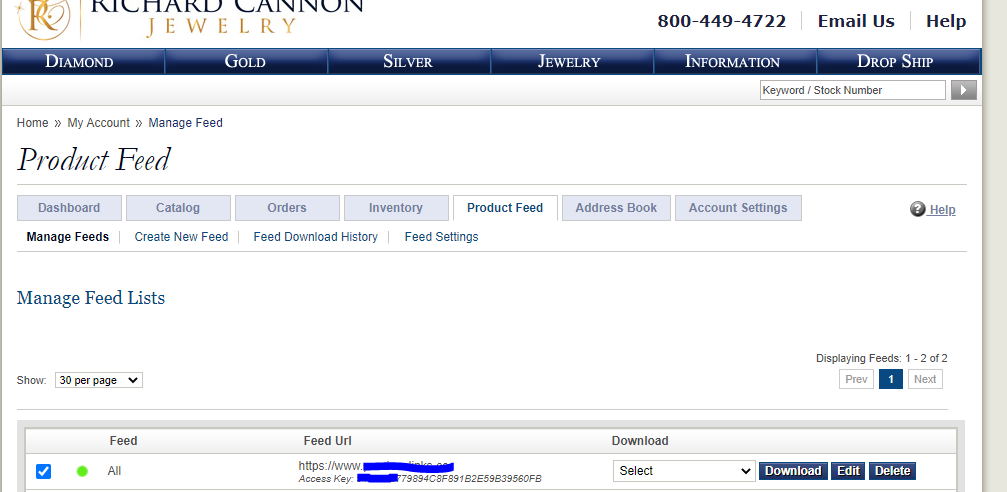
3. Download as CSV
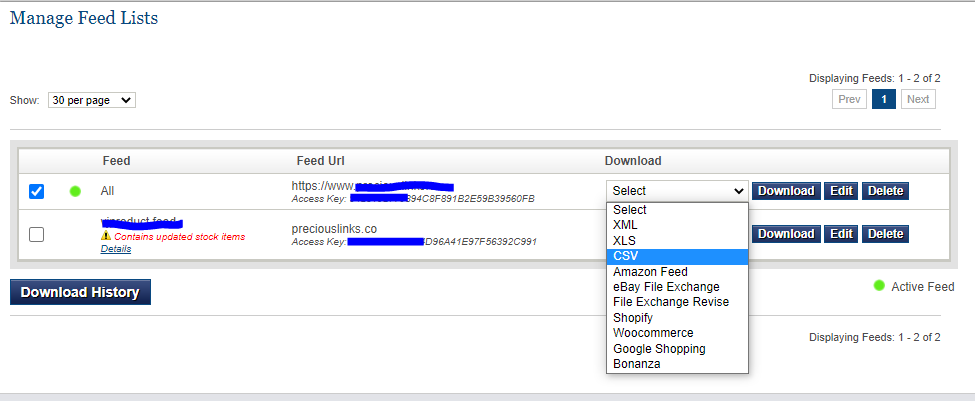
4 Once the feed has been generated it will be available for download in your ‘Feed Download History’ section shown below.
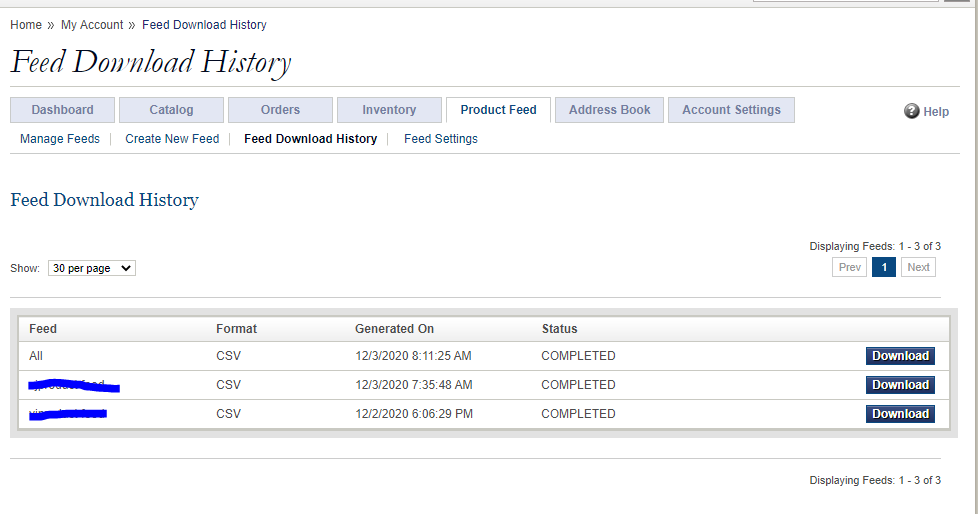
5. You should download the CSV file to your local PC.
6. Once downloaded, login to the WordPress admin area then navigate to: ‘WP All import > Manage Imports’
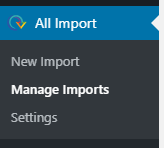
7. Hover over import number 2, then click ‘Import Settings’

8. On the next screen, click the ‘Upload a file’ button.
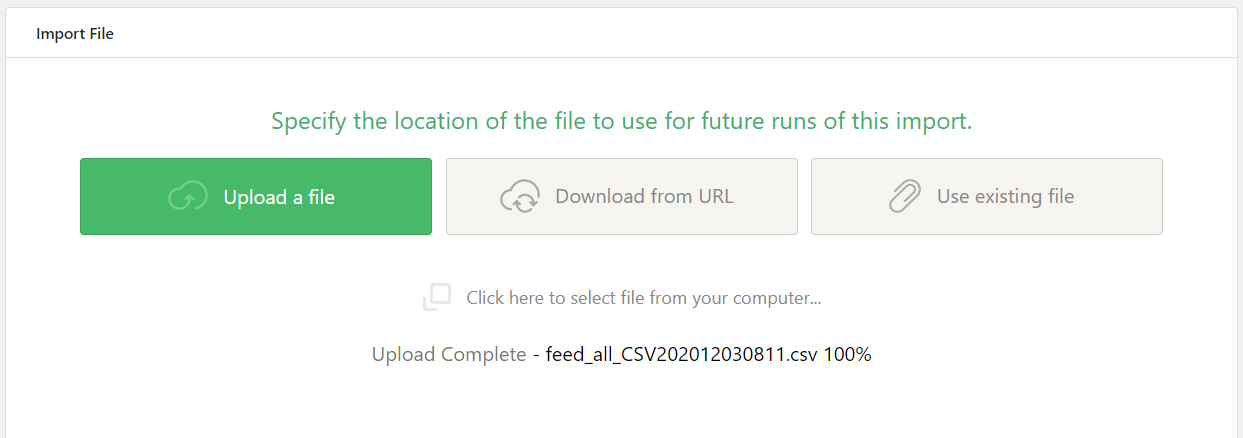
9. Upload the CSV file you downloaded in step 5
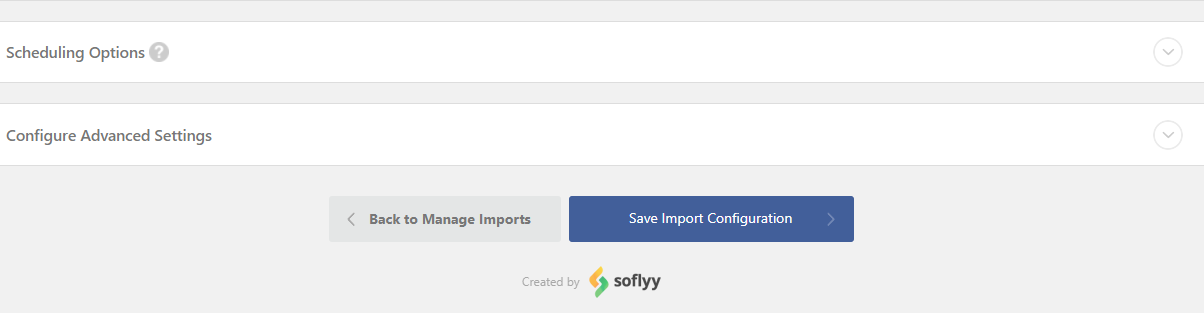
10. Once uploaded, click ‘Save Import Configuration’ at the bottom of the page.
11. Once saved. Click ‘Run Import’
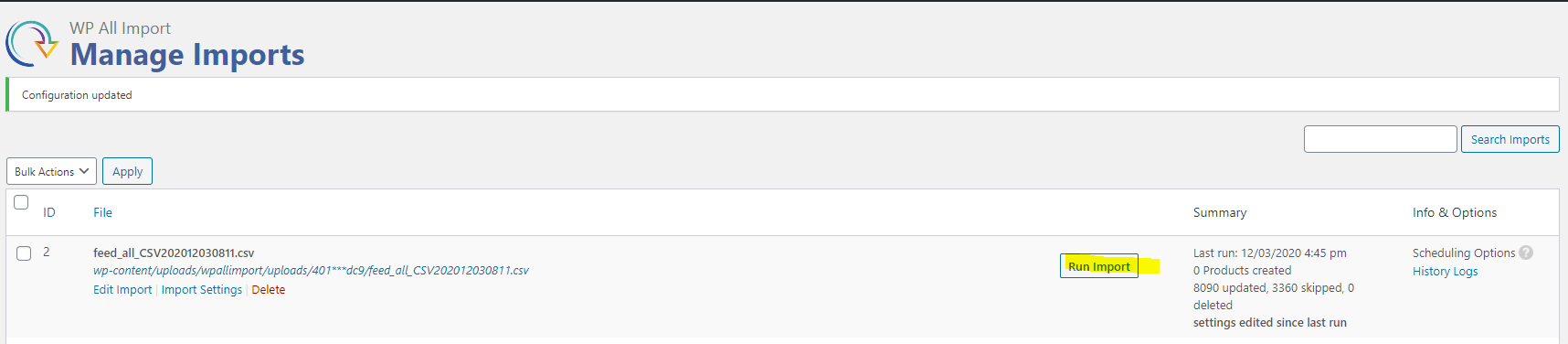
12. Once the import is complete the prices on the website will be updated to match Richard Cannons supplied mark up prices.